
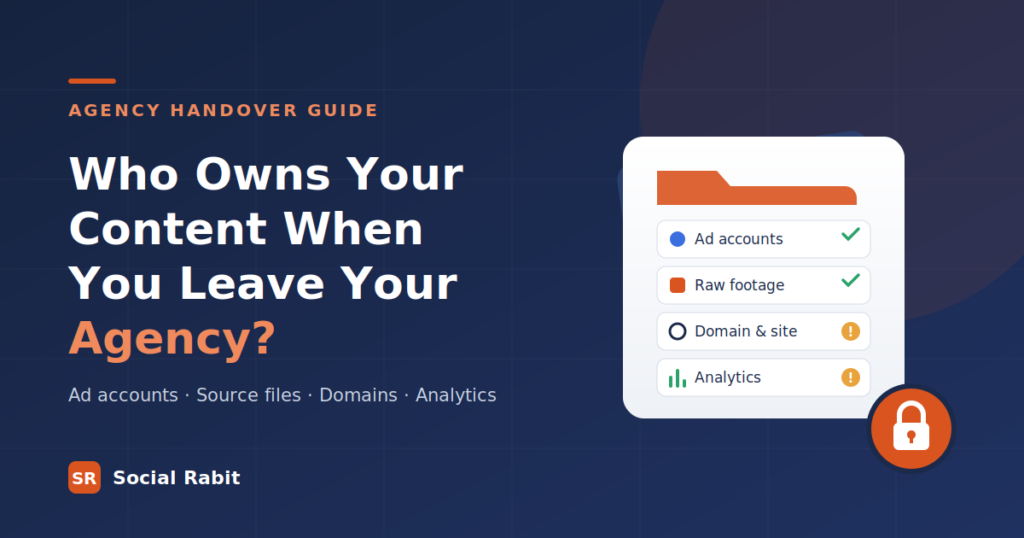
Most brands find out what they own on the day they try to leave. The agency sends a polite goodbye, and then the questions start. Why can’t we see our ad account anymore? Where are the raw files from last year’s shoot? Who has the login for the Instagram account?
This is one of the most common problems in agency relationships, and one of the least discussed — because the honest answers rarely flatter the industry. We think you should know them before you sign anything, including with us.
Here is what you actually own, what you probably don’t, and how to fix it while the relationship is still good.
This single distinction explains most handover disputes. Having access means you can log in and see things. Owning means the asset sits under your business, is billed to you, and cannot be taken away when someone else walks out the door.
Plenty of brands have had access to their own marketing for years and never owned any of it. It feels identical right up until the relationship ends.
This is one of the most common problems in agency relationships, and one of the least discussed — because the honest answers rarely flatter the industry. We think you should know them before you sign anything, including with us.
Here is what you actually own, what you probably don’t, and how to fix it while the relationship is still good.
On Facebook and Instagram, everything hangs off a Business Portfolio (what used to be called Business Manager). Pages, Instagram accounts, ad accounts, pixels and product catalogues are each owned by exactly one portfolio. Other businesses — your agency, for example — can be given partner access to them.
The healthy setup is straightforward: your brand owns the portfolio, and the agency is added as a partner. When you part ways, you remove the partner. Nothing moves, nothing breaks.
The problem arises when an agency creates the ad account inside its own portfolio to get you started quickly. That ad account now belongs to the agency. In practice, moving an ad account that another business owns is extremely difficult, and brands in this position often end up opening a fresh account — losing the campaign history, audience learning and performance data that took months to build.
Check this today
Agencies manage Google Ads through a manager account, usually called an MCC, which lets them oversee many client accounts from one place. That arrangement is perfectly normal. What matters is where your ad account came from.
If your ad account was created under your own Google login and billed to your company’s payment method, and the agency was then linked in, you are in good shape. Unlinking the agency leaves your account, your history and your conversion data exactly where they are.
If the agency created the account for you from inside their manager account and you have never had admin access, the account’s history effectively lives with them. You can usually recover it — but it is far easier to settle while you are still working together than after.
This is the one that surprises people most. Over a year, an agency produces hundreds of posts, reels and graphics for you. You have every one of them — as finished exports. But you probably don’t have the files they were made from.
Finished exports are the MP4s and JPGs that went live. Source files are the editable project files: the Premiere or After Effects timeline, the Photoshop and Illustrator layers, the Canva or Figma templates, and the raw, uncut footage from every shoot.
Without source files, you cannot change a single word on a graphic, recut an ad for a new platform, or reuse the three hours of footage that never made the final edit. Many agency contracts are silent on source files, and silence usually means you don’t get them.
If your agency also built or runs your website, the stakes rise considerably. The single most damaging oversight we see is a domain registered in the agency’s name rather than the brand’s. Your domain is your address on the internet. If you don’t control it, you don’t control your website, your email or your search rankings.
The same principle applies to Google Analytics, Search Console and Google Tag Manager. These should be properties owned by your business’s Google account, with the agency granted access — not the other way round. Otherwise years of traffic and conversion history can walk out the door with them.
Can an agency legally keep my ad account after I leave?
It depends on your contract and on whose business the account was set up under. This is a commercial question rather than a purely legal one — and it is far easier to settle before a dispute than during one. If significant money or data is involved, take legal advice.
Do I own the content the agency made for me?
Usually you own the right to use the final published content, but not necessarily the source files, raw footage or third-party licensed elements within it. Your contract should state this explicitly.
What should I do in the week before I end an agency contract?
Confirm you have owner-level admin on every account, download your analytics and ad performance history, request source files and raw footage in writing, and change any shared passwords the day the agency’s access is removed.